Review what changed
Find out which conversation wrote any line, and every conversation that touched a file, right next to the code.
Works on: the desktop app. Web and phone: not available yet.
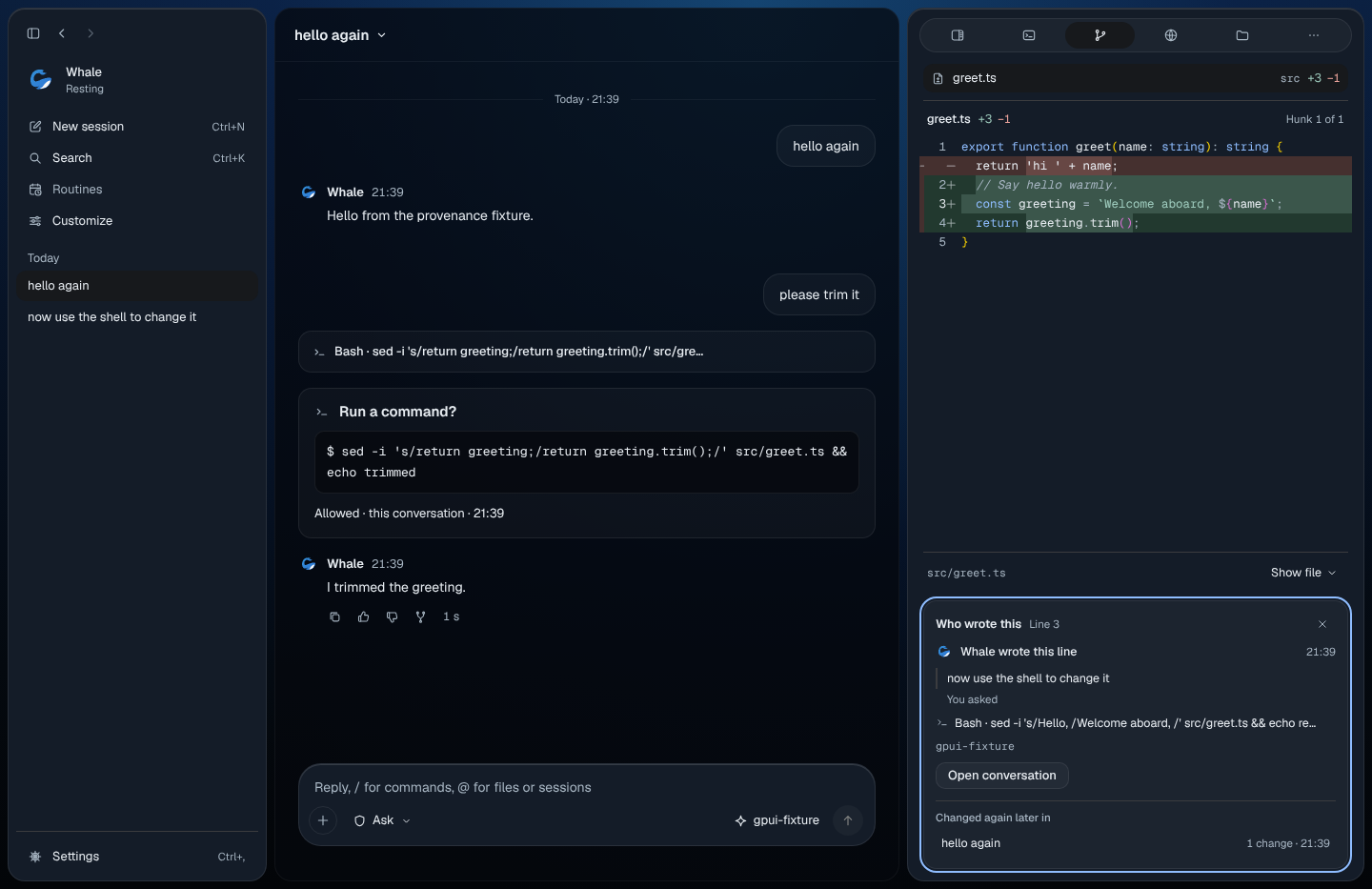
Find out who wrote a line
Open Review (its button at the top of the right panel, or ⌘K and "Review changes"), pick a file, then on a line:
- Rest the pointer on it. After a moment a small card says who wrote it and when, what you asked for, and the step that made the change.
- Right-click it (or press Shift+F10), then press W for Who wrote this. A card opens under the diff with the same facts and the model that wrote it. Open conversation takes you to the message that asked for the change. Esc closes the card.
- ⌘K, then "Who wrote this line", does the same for the line your cursor is on.
It works for lines a file change wrote and for lines a command changed. If another conversation changed the file later, the card lists it under "Changed again later in". A line that was there before any conversation says "No conversation wrote this line."
See every conversation that changed a file
Right-click a file in Review, Files or Overview and choose Conversations that changed this file (H). The card lists each one with how many changes it made and when; choose one to open it. If there are none, it says "No conversation changed this file."
Codewhale looks through the 25 most recent conversations in this folder.
Copy from Review
Right-click a line for Copy (with text selected), Copy › Patch for the change around it, or Copy › Path.
What isn't available yet
These say "Not available yet" in the palette or menu:
- Comment on a line and Comment
- Ask for a review
- Accept this work
- Keep line history in git notes. Who wrote this works inside the app only; nothing is written to your repository.
Who wrote this works only for conversations on this computer, not for a group conversation's changes.
On the web
Not available yet.
On your phone
Not available yet.
Related
Previous: The work pane · Next: Routines