Commands and the palette
Find anything Codewhale can do, run it from the keyboard, and act on what you're looking at with its menu.
Works on: the desktop app. Web and phone: not available yet.
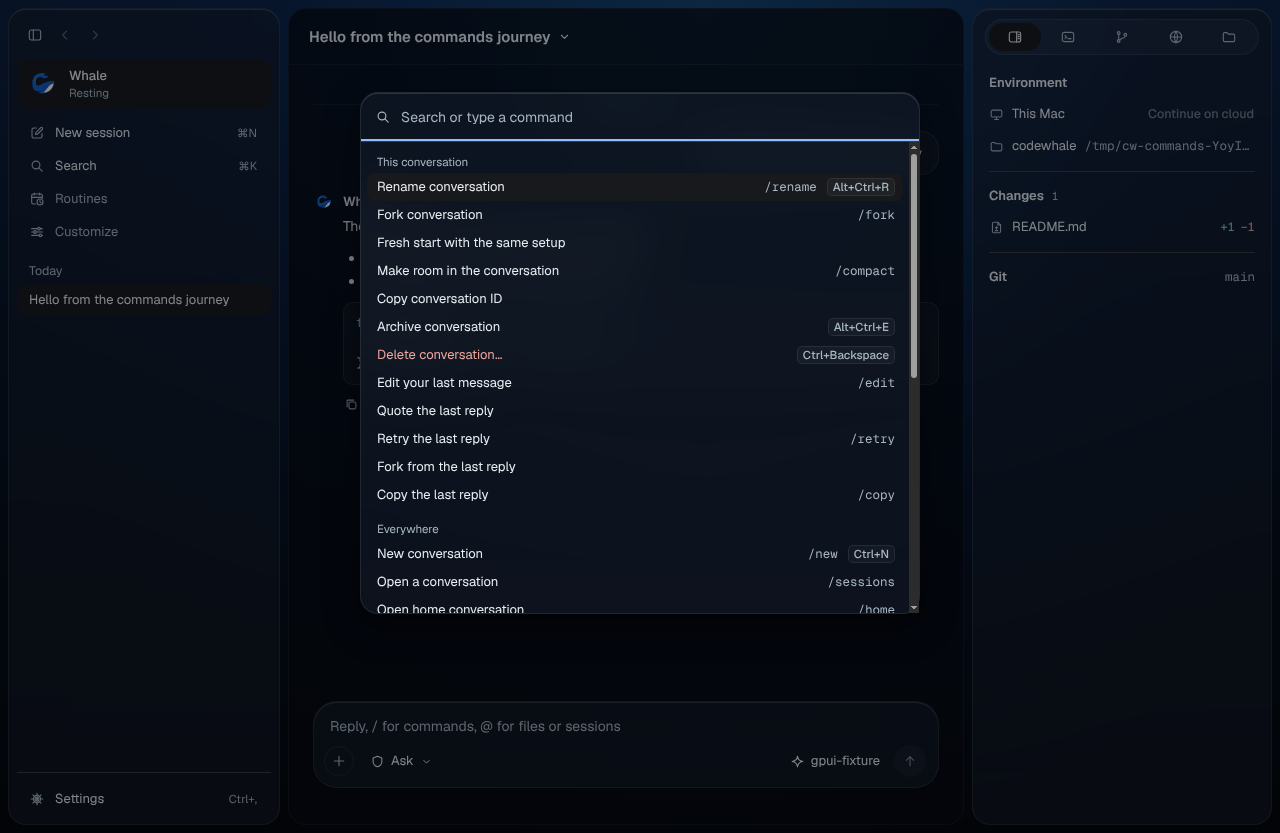
Search and run anything
Press ⌘K (Ctrl+K on Windows and Linux), or press Search in the sidebar.
- Type a few letters of what you want: "rename", "fork", "settings". The best match is highlighted; press Enter to run it.
- Type a conversation's name to open it.
- Start with
/to look a command up by its name:/retry,/compact. - Press Esc to clear what you typed, and Esc again to close.
With nothing typed, the palette shows what you can do in This
conversation first, then Everywhere, then recent Conversations.
Each row shows its shortcut and its / command, so you can learn them as
you go.
An action works on what has focus: the conversation you're on in the sidebar, the message you're on, or else the open conversation. When nothing fits, the palette asks you to choose a conversation.
Things Codewhale can't do yet still show up when you search, marked "Not available yet".
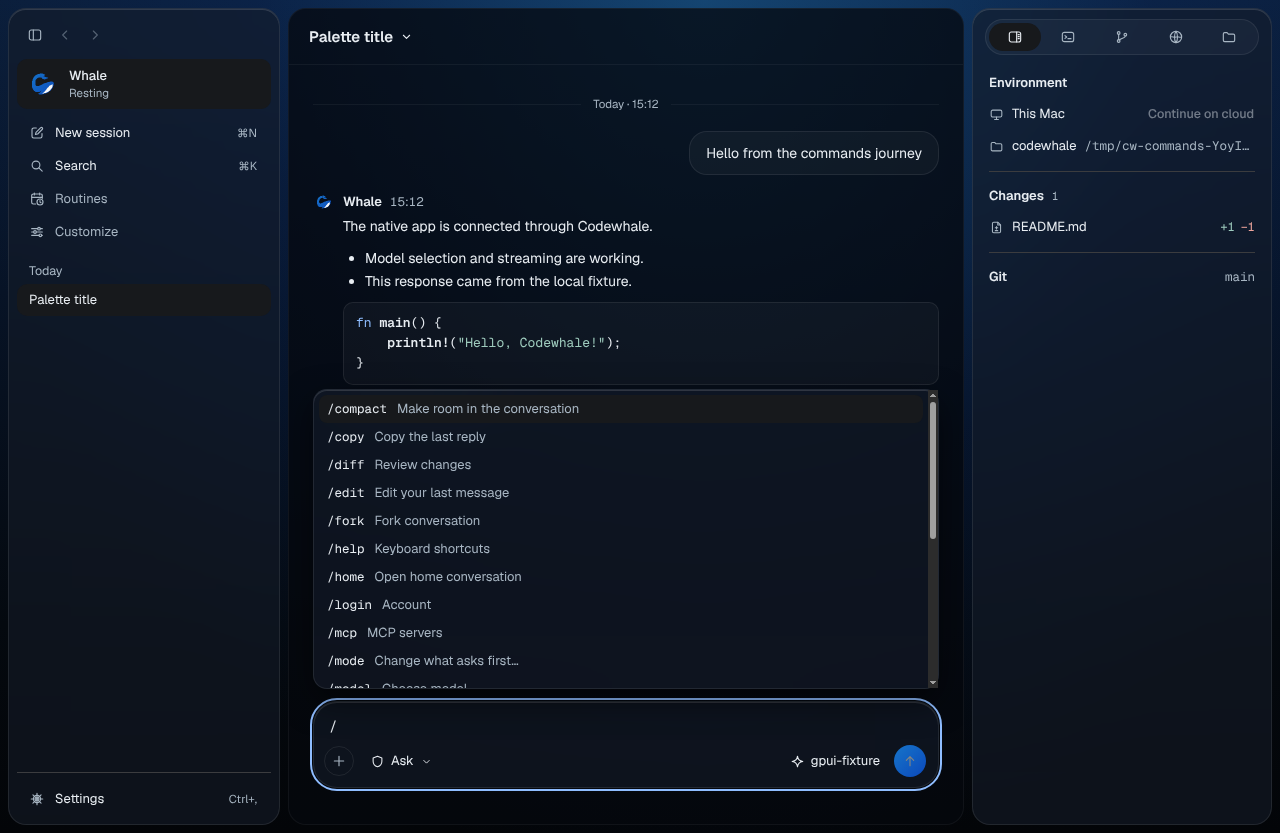
Type a / command
In the composer, type /. A list of commands opens above it.
- Keep typing to narrow it. ↑ and ↓ move, Enter runs the highlighted command, Tab fills in its name, Esc closes the list and keeps your text.
- Some commands take words after them:
/rename Fix the flaky testrenames the conversation at once. - A command that only works in the terminal app says so when you type it, and is never sent to the whale as a message.
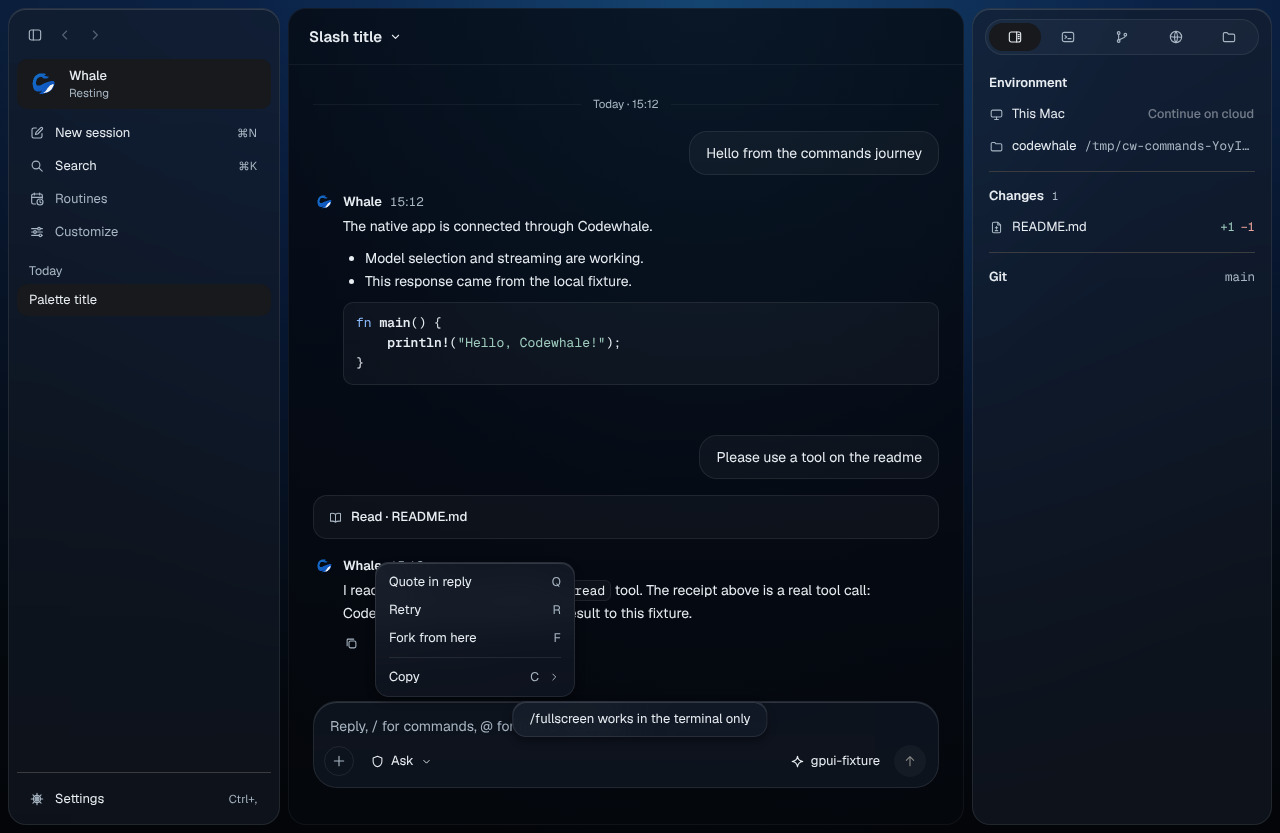
Act on anything with its menu
Right-click (or Control-click) a conversation, a message, a card, a file or a person to see what you can do with it.
- From the keyboard, move to it and press Shift+F10 or the menu key.
- In an open menu, press an item's letter to choose it. C opens Copy, for example.
- An item that can't be used right now says why ("Still working").
- Select some text in a message first to quote or copy just that.
Every menu item and its letter is in Keyboard shortcuts.
Every / command
What each command does in the desktop app. "Terminal only" means it belongs to Codewhale in a terminal and has no place in the app.
109 commands: 41 work here, 50 are not available yet, 18 stay in the terminal.
| Command | On the desktop | Shortcut (macOS) | Shortcut (Windows, Linux) |
|---|---|---|---|
/advisor |
Not available yet | ||
/agent |
Not available yet | ||
/anchor |
Not available yet | ||
/attach |
Not available yet | ||
/auth |
Not available yet | ||
/auto |
Not available yet | ||
/automation |
Routines | ||
/balance |
Not available yet | ||
/branch |
Not available yet | ||
/cache |
Not available yet | ||
/change |
Not available yet | ||
/clear |
New conversation | ⌘N |
Ctrl+N |
/color |
Terminal only. Not part of the desktop. | ||
/compact |
Make room in the conversation | ||
/config |
Settings | ⌘, |
Ctrl+, |
/connect |
Not available yet | ||
/constitution |
Not available yet | ||
/context |
Show context | ||
/copy |
Copy the last reply | ||
/cost |
Show cost | ||
/diff |
Review changes | ||
/disconnect |
Not available yet | ||
/edit |
Edit your last message | ||
/effort |
Not available yet | ||
/exit |
Terminal only. Quit from the app menu. | ||
/export |
Not available yet | ||
/feedback |
Not available yet | ||
/fleet |
Not available yet | ||
/fork |
Fork conversation | ||
/fullscreen |
Terminal only. The window is the screen. | ||
/goal |
Not available yet | ||
/help |
Keyboard shortcuts | ⌘/ |
Ctrl+/ |
/hf |
Not available yet | ||
/home |
Open home conversation | ||
/hooks |
Not available yet | ||
/hotbar |
Terminal only. Use the palette, ⌘K. | ||
/import-claude |
Not available yet | ||
/init |
Not available yet | ||
/inline |
Terminal only. No terminal scrollback on the desktop. | ||
/jobs |
Show background | ||
/lane |
Not available yet | ||
/links |
Not available yet | ||
/load |
Not available yet | ||
/login |
Account | ||
/logout |
Sign out | ||
/lsp |
Not available yet | ||
/mcp |
MCP servers | ||
/memory |
Not available yet | ||
/mode |
Change what asks first… | ⇧⌘E |
Shift+Ctrl+E |
/model |
Choose model | ⌘' |
Ctrl+' |
/modeldb |
Not available yet | ||
/models |
Choose model | ⌘' |
Ctrl+' |
/network |
Not available yet | ||
/new |
New conversation | ⌘N |
Ctrl+N |
/note |
Not available yet | ||
/overview |
Show Overview | ||
/permissions |
Trust settings | ||
/pet |
Terminal only. The whale lives at the top of the sidebar. | ||
/pin |
Terminal only. Not part of the desktop. | ||
/plugin |
Open plugins | ||
/preview-request |
Terminal only. A diagnostic for the terminal. | ||
/profile |
Not available yet | ||
/provider |
Connect a model | ||
/purge |
Not available yet | ||
/queue |
Queued messages sit above the composer; remove one with its ×. | ||
/rc |
Not available yet | ||
/receipts |
Not available yet | ||
/relay |
Not available yet | ||
/remote-env |
Open environments | ||
/rename |
Rename conversation | ⌥⌘R |
Alt+Ctrl+R |
/restore |
Not available yet | ||
/resume |
Open a conversation | ||
/retry |
Retry the last reply | ||
/review |
Not available yet | ||
/rlm |
Not available yet | ||
/router |
Not available yet | ||
/save |
Not available yet | ||
/sessions |
Open a conversation | ||
/settings |
Settings | ⌘, |
Ctrl+, |
/setup |
Settings | ⌘, |
Ctrl+, |
/share |
Not available yet | ||
/skill |
Open skills | ||
/skills |
Open skills | ||
/stash |
Terminal only. The composer keeps its draft per conversation. | ||
/status |
The stats bar under the composer shows the state. | ||
/statusline |
Terminal only. The stats bar shows one fact. | ||
/structcopy |
Terminal only. Use Copy › on a card. | ||
/subagents |
Show agents | ||
/system |
Terminal only. A diagnostic for the terminal. | ||
/task |
Not available yet | ||
/theme |
Appearance | ||
/title |
Terminal only. The window title follows the conversation. | ||
/tokens |
Show cost | ||
/tools |
Terminal only. A diagnostic for the terminal. | ||
/transcript |
Terminal only. The conversation is the transcript. | ||
/translate |
Not available yet | ||
/tree |
Not available yet | ||
/trust |
Trust settings | ||
/turn |
Terminal only. Use Show details on a card. | ||
/undo |
Not available yet | ||
/update |
Check for updates | ||
/verbose |
Terminal only. Thinking opens from its line on each reply. | ||
/voice |
Not available yet | ||
/voicecontrol |
Not available yet | ||
/voicesend |
Not available yet | ||
/workbar |
Terminal only. The right panel replaces the workbar. | ||
/workflow |
Not available yet | ||
/workflows |
Not available yet | ||
/workspace |
Open folder… | ⌘O |
Ctrl+O |
On the web
Not available yet.
On your phone
Not available yet. The phone has no palette, / commands or menus.
Related
Previous: Accessibility · Next: Keyboard shortcuts